Timesheet best practices: 10 habits that make time data reliable
When to log, how much detail to write, how to structure projects and tasks, and the weekly review that keeps the data trustworthy.
By the LockedHours team · · 3 min read
Every report you'll ever want, from utilization to project margin, is only as good as the timesheets underneath it. Nobody enjoys filling them in, so the goal is to make accurate logging the path of least resistance. These ten habits come up again and again in firms where timesheets just work.
When and how to log
- Log daily, or track live. Time recalled on Friday afternoon is a guess. Either run a timer while you work or spend two minutes at the end of each day.
- Pick one method per person. Some people work best with a timer, others with a weekly grid. Both are fine, as long as they're two views of the same entries.
- Log the whole day, not just billable work. Internal time is what explains low utilization. Without it you can't tell "not busy" from "busy on the wrong things".
- Write notes a client could read. "Homepage layout, second round of revisions" beats "design". If the entry might reach an invoice, write it once, properly.
Set up projects and tasks so logging is obvious
- Keep the task list short. Five to ten tasks people recognize (Design, Development, Meetings, Project management, Internal) beat thirty precise ones nobody uses consistently.
- Make billable a property of the task. People shouldn't decide per entry whether something is billable. Set it once.
- Separate work that's priced differently. A fixed-fee build, a monthly retainer and hourly change requests for the same client should be different projects, so each budget means something.
Review and protect the data
- Hold a weekly check. Before the week closes, managers look at who has logged less than their capacity. A friendly message on Friday works better than a chase three weeks later.
- Lock what's been billed. Once hours are on an invoice, they shouldn't change. Otherwise last month's reports and the invoice drift apart.
- Use the data openly. When people see their timesheets turning into better estimates and fairer workloads, logging stops feeling like surveillance.
Pitfalls to avoid
- Rounding everything up. Clients notice patterns of 1.0 h entries. Use a clear increment and apply it consistently.
- Timesheets as performance scores. If people fear the numbers, they'll make them look good instead of accurate.
- Two sources of truth. Time in a spreadsheet and in a tool will never agree. Pick one.
Timesheets in LockedHours
LockedHours has a timer with a day view and a weekly timesheet grid, both showing the same time entries. Hours can be typed as 1:30, 1.5 or 90m, each task knows whether it's billable, invoiced hours are locked, and the team report shows each person's hours against their weekly capacity so gaps are easy to spot. When an account requires approval, people submit each week and admins or project managers approve it or send it back with a note; approved time locks.
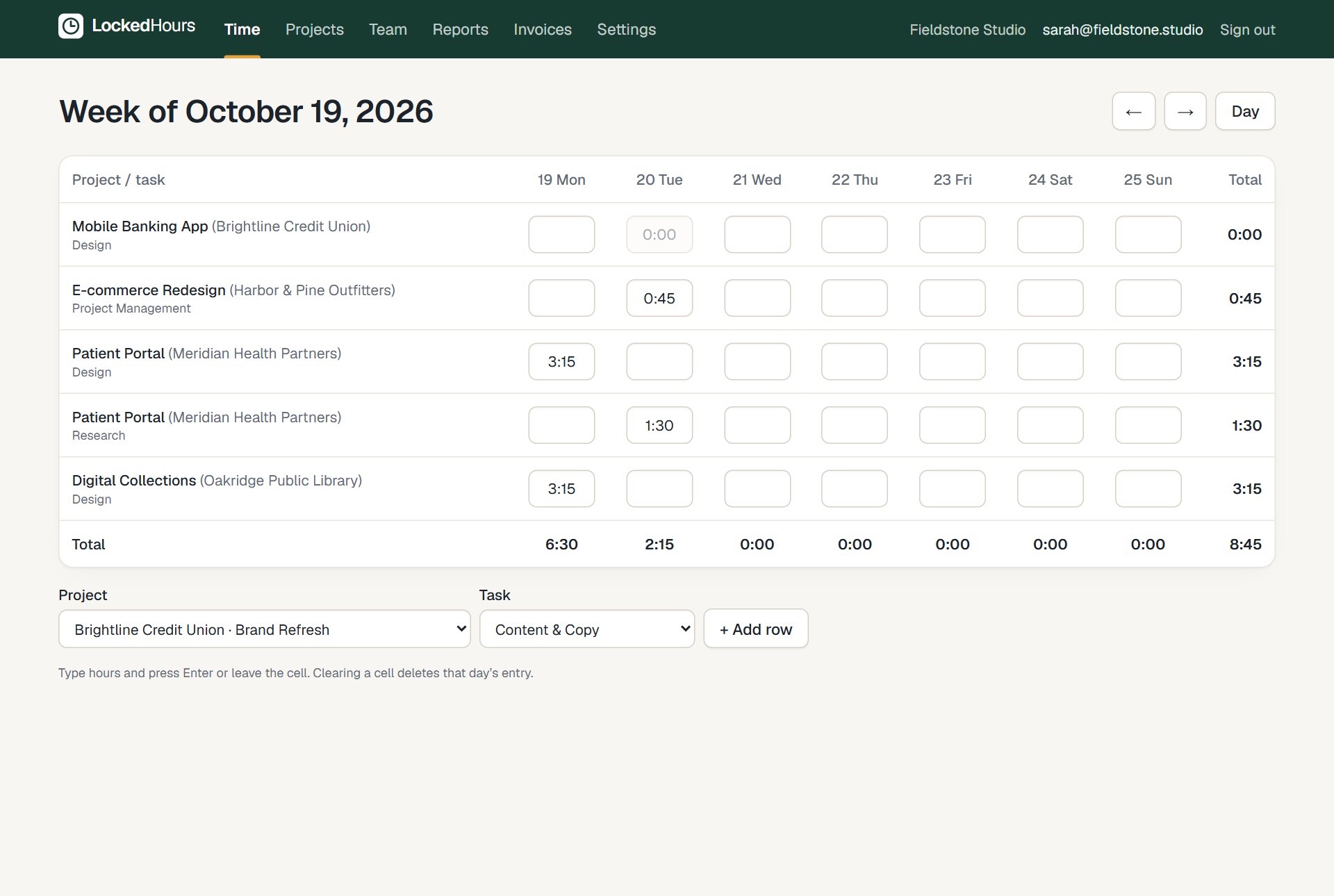
The weekly timesheet: projects and tasks as rows, days as columns.
See timesheets and time tracking.
Try it with your own numbers
30 days free, no card. $6 per seat, locked in your contract.