How to invoice clients for hourly work
What an invoice for time needs to include, how to group the lines, payment terms and reminders, and a month-end routine that takes minutes.
By the LockedHours team · · 3 min read
Invoicing for time looks simple: hours times rate. In practice the invoices that get paid quickly share a few traits. They're clear about what was done, they arrive on a predictable day, and they match what the client expected. Here's how to get there.
What an invoice for hourly work should include
- Your business name, address and tax details, and the client's
- A unique invoice number in a consistent format, such as INV-2026-0042
- Issue date, due date and the period the work covers
- Lines with a description, hours, rate and amount
- Subtotal, any discount, taxes and the total due
- How to pay: bank details or accepted methods
Tax and invoicing rules vary by country. Some require specific wording, sequential numbering or electronic formats. Check what applies to you with your accountant.
How detailed should the lines be?
| Grouping | Looks like | Works best for |
|---|---|---|
| One line per project | Website redesign · 42 h · $5,880 | Clients who trust you and want a short invoice |
| One line per task | Design 28 h · Development 14 h | Showing where the effort went |
| One line per person | Senior designer 20 h · Designer 22 h | Different rates per person |
| Every entry | Each day's work with its note | Clients who need to check or re-bill the hours |
Ask the client once which they prefer and stick with it. If you send a summary, keep the detailed entries ready: a quick answer to "what were these 12 hours?" is what prevents a dispute.
Payment terms that get you paid sooner
- Agree terms before the work starts, in the proposal or contract. Net 15 or net 30 are common.
- Invoice promptly. An invoice sent on the 1st for last month gets paid before one sent on the 20th.
- Make paying easy. Put the payment details on the invoice itself, not in a separate email.
- Send reminders on a schedule: a polite note a few days before the due date and again after it. Automating them removes the awkwardness.
- Record partial payments so you always know what's still owed.
A month-end invoicing routine
- Ask the team to finish their timesheets for the month by the last working day.
- Run the uninvoiced report and check entries without notes, or with unusual hours.
- Create one invoice per client from uninvoiced time and expenses, grouped the way they like.
- Review, send and lock the hours.
- Set recurring invoices for retainers and fixed monthly fees so they go out without anyone remembering.
Invoicing in LockedHours
In LockedHours you pick a client and a period, choose one line per project, task, person or entry, and the invoice is built from uninvoiced time and expenses. Invoices carry your logo and numbering format, support two taxes and a discount, and are sent by email as a PDF with a link to view them online. You can record full or partial payments, schedule reminders for overdue invoices and set up recurring invoices. Online card payments aren't available yet.
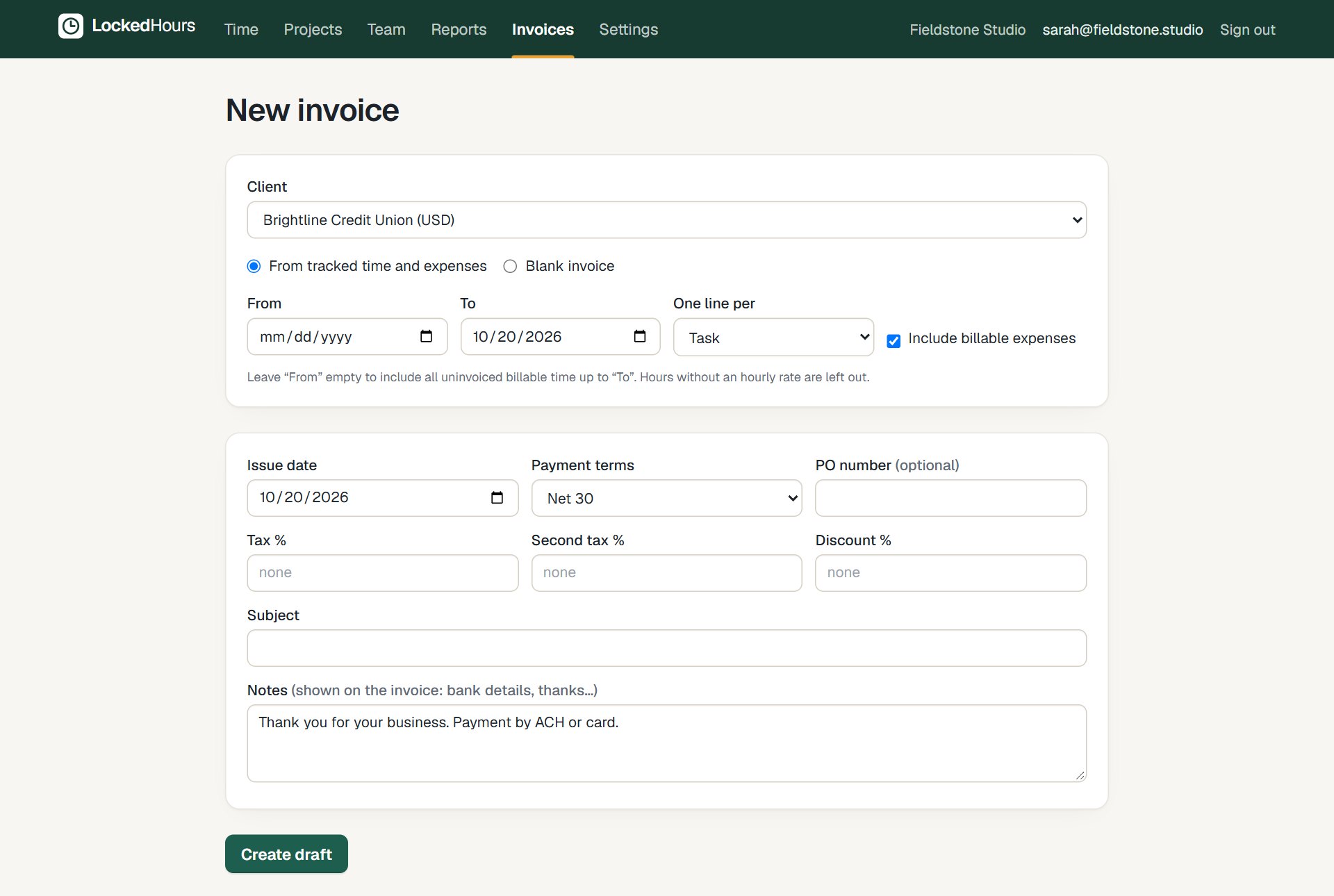
Creating an invoice from tracked time: choose the client, the period and how to group the lines.
See invoicing, and our guide to billable hours.
Try it with your own numbers
30 days free, no card. $6 per seat, locked in your contract.