Create an invoice from tracked time
Pick a client and a date range, choose one line per project, task, person or time entry, and LockedHours builds a draft from the uninvoiced billable hours.
Who can do this: Admins and managersUpdated · 3 min read
Before you start
- Your business details are filled in: Set up invoicing.
- The client has an address, country and contacts: Add clients and contacts.
Create the draft
Step 1: Click Invoices in the top menu, then + New invoice. On a phone: More → Invoices, then New invoice at the bottom right of the screen.
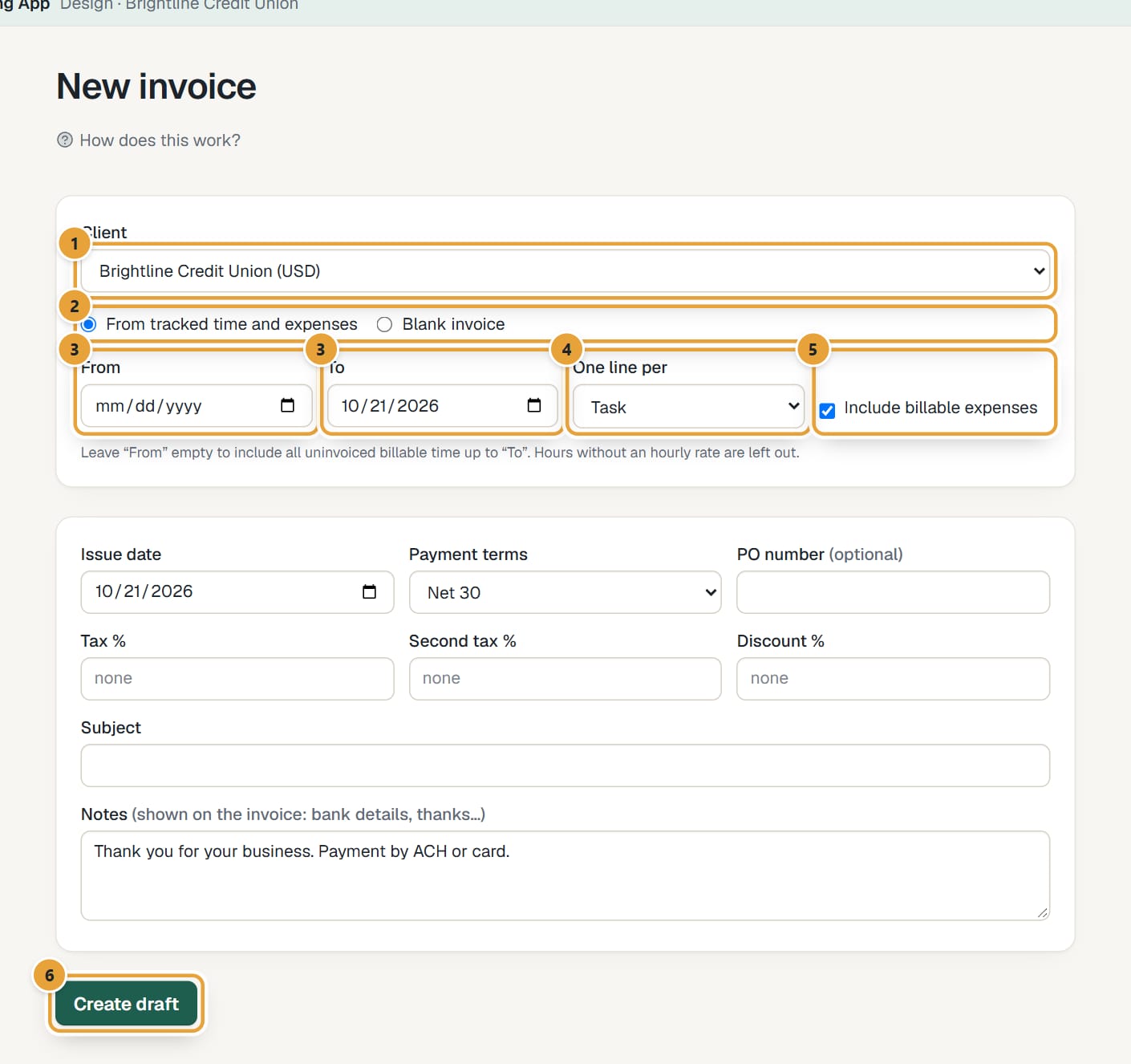
Step 2: Choose the Client. Its currency is shown in brackets; the invoice uses it.
 (opens the full-size image)
Step 3: Leave From tracked time and expenses selected.
Step 4: Set the dates. To starts with today. Leave From empty to include all uninvoiced billable time up to To, or set it to bill one month, for example.
Step 5: Choose One line per: Project, Task, Person or Time entry (detailed).
Task (the default) gives one line per project and task. Time entry (detailed) lists each entry with its date, person and notes. Hours at different rates always get separate lines.
Step 6: Leave Include billable expenses ticked to add the client's uninvoiced billable expenses as lines, one per expense (added on the Expenses page or imported from Harvest). They lock once they're on the invoice.
Step 7: Check the dates, payment terms, taxes, discount, subject and notes in the lower box. They start with your defaults from Settings. See Edit a draft invoice.
Step 8: Click Create draft (on a phone it stays at the bottom of the screen). You land on the draft.
Which hours go on the invoice
- Billable hours for any project of that client (archived ones too) in the date range that aren't on another invoice yet.
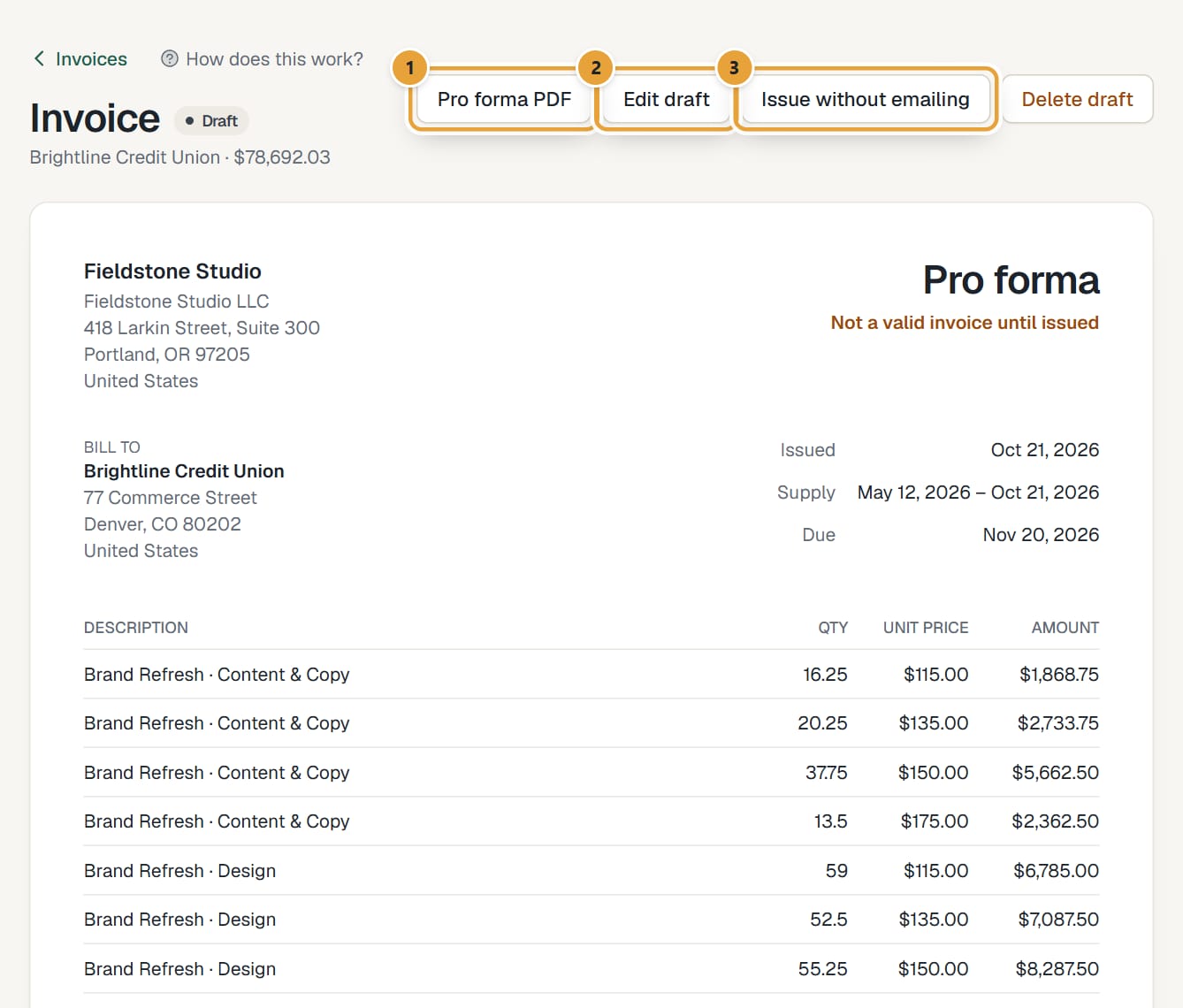
- Not included: non-billable hours, running timers, and billable hours without an hourly rate. When hours are left out for having no rate (typical on fixed-fee projects), the draft says … hours without an hourly rate were left out. Add a line for them by hand if needed.
- Hours on the draft are now Locked for the team and leave the Uninvoiced report. Deleting the draft releases them.
 (opens the full-size image)
Invoices on a phone
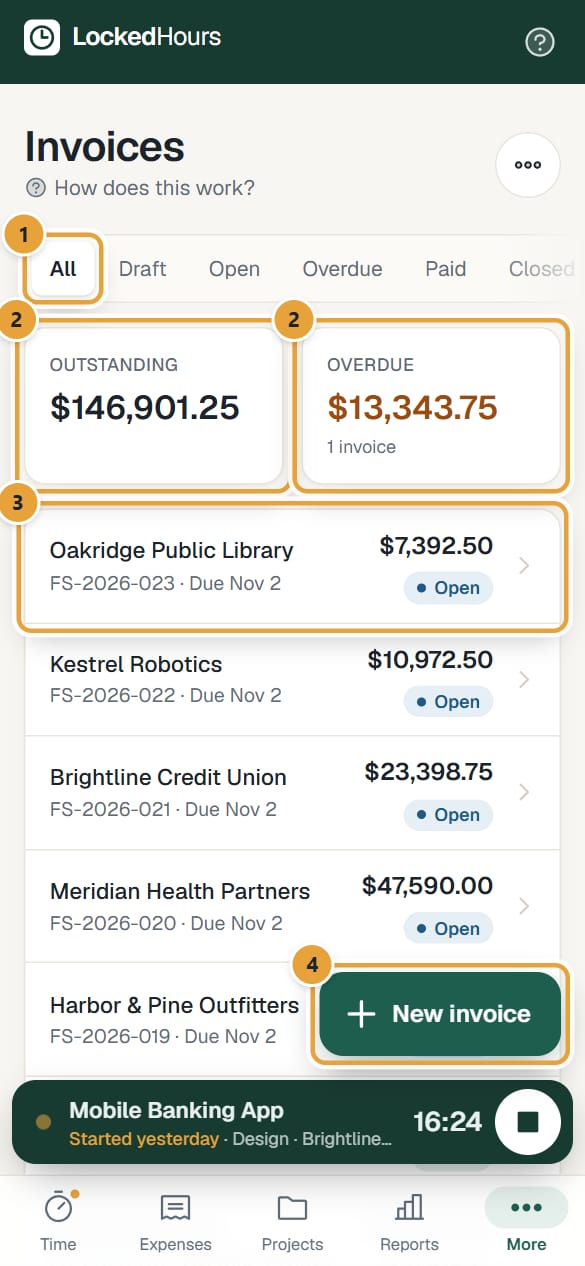
On a phone, Invoices is a list: each invoice shows the client, its number and when it's due (Overdue 12 days in red when it's late), the amount still due (or the total once it's paid) and its status: Draft, Open, Overdue, Paid or Closed. Above it, Outstanding and Overdue add up what's waiting to be paid. Swipe the row of states (All, Draft, Open, Overdue, Paid, Closed) to filter. Recurring and Settings are under the ⋯ button at the top right.
 (opens the full-size image)
What happens next
- The draft isn't an invoice yet: it has no number and says Not a valid invoice until issued. Edit it if needed: Edit a draft invoice.
- Then issue it and send it: Issue and send an invoice.
Common problems
"There's nothing billable to invoice for this client and period."
No uninvoiced billable hours with a rate in those dates. Check the Uninvoiced report, widen the dates, or check the hours have rates.
"Add a client first."
Create a client: Add clients and contacts.
"Some of these hours were invoiced meanwhile. Reload and try again."
Someone else invoiced part of the same hours at the same time. Reload the page and create the draft again.
A client is missing from the list
Archived clients aren't offered. Open the client and tick Active.
Didn’t find what you needed?
Ask in Help inside the app, or email [email protected]. We aim to reply within 2 business days.