Sign up and start your free trial
Create your account with Google, Microsoft, an email link or a password, tell us your company name, timezone and currency, and choose whether to import from Harvest or start empty.
Who can do this: Anyone with a work emailUpdated · 3 min read
Before you start
- A work email address you can open on the device you're using now.
- Your company or team name, and the currency you invoice in.
- If you're coming from Harvest: an Administrator login there. You can also import later.
Create your account
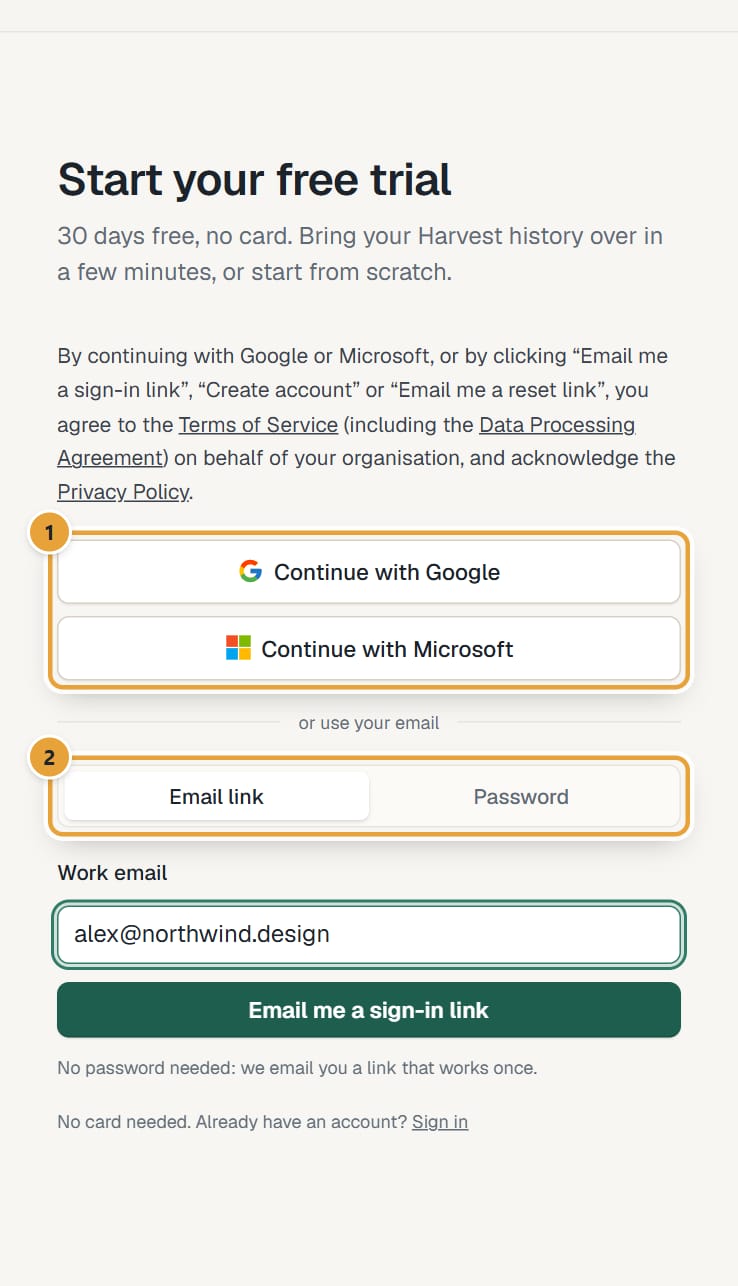
Step 1: Go to lockedhours.com and click Start free, or open lockedhours.com/login?start=1 directly. The page says Start your free trial.
 (opens the full-size image)
Step 2: Choose how to create your account: click Continue with Google or Continue with Microsoft; or, in the Email link tab, type your email in Work email and click Email me a sign-in link; or, in the Password tab, type your email, choose a password (at least 10 characters) and click Create account.
Clicking any of these buttons means you accept the Terms of Service (including the Data Processing Agreement) on behalf of your organization; the links to read them are right above the buttons.
Step 3: With Google or Microsoft, approve on their page and you come straight back. With the email link, click the link in the email, or type its 6-digit code in 6-digit code and click Continue. With a password, click the confirmation link we email you. Links and codes work once and expire after an hour.
More about each way in Sign in: email link, password, Google or Microsoft.
Answer two questions
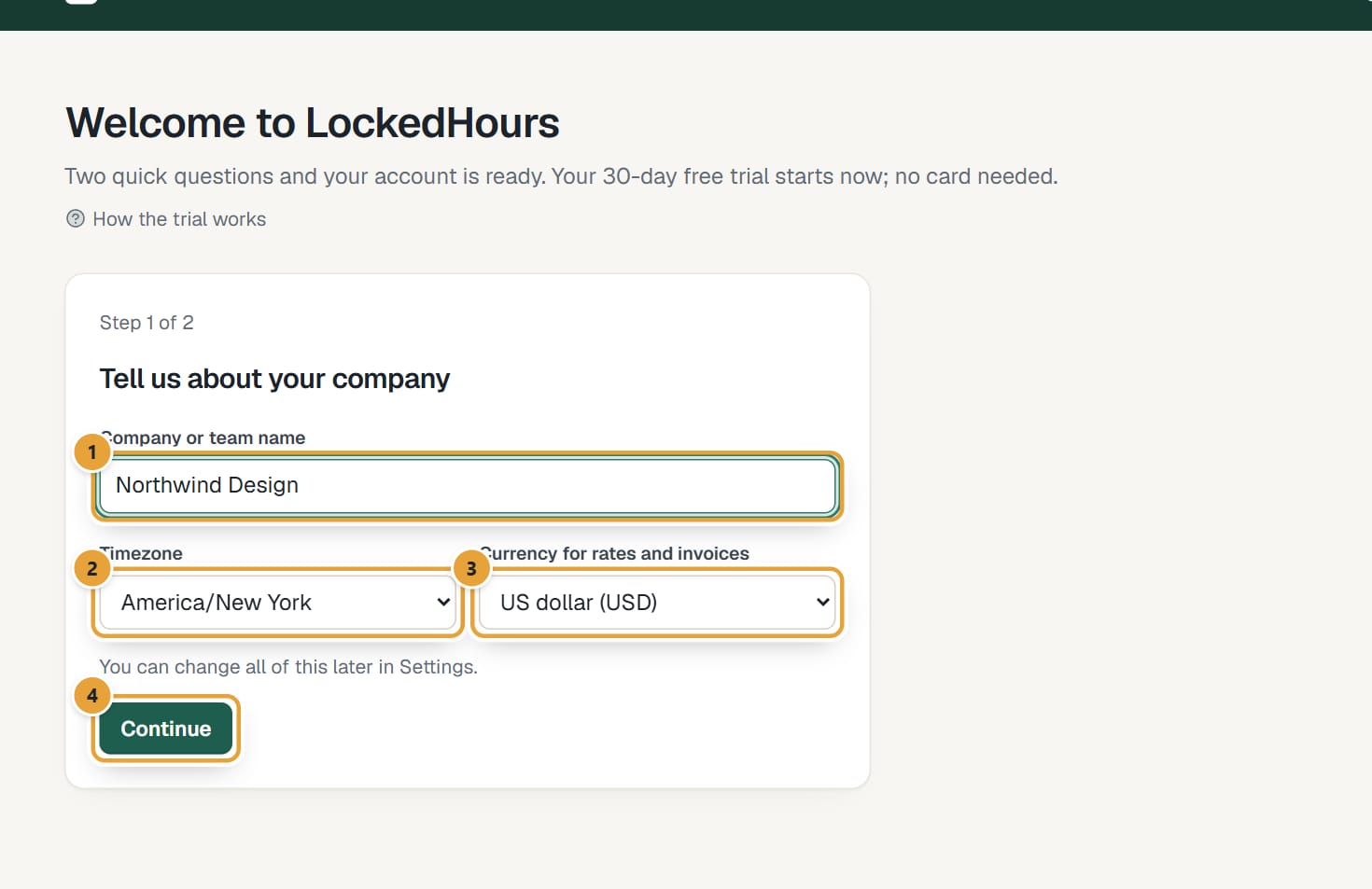
The first time you sign in, you land on Welcome to LockedHours, a short form in two steps. Nothing is created until you finish step 2.
Step 1: Under Tell us about your company, fill in Company or team name. It's the name your team sees and the business name printed on your invoices.
 (opens the full-size image)
Step 2: Check Timezone. It's filled in from your computer's clock; pick another one from the list if your company works in a different timezone.
The timezone decides what "today" is for timesheets, reports and invoice dates.
Step 3: Check Currency for rates and invoices. It's suggested from your timezone (for example euros for most of Europe). Choose the currency you bill in.
Step 4: Click Continue.
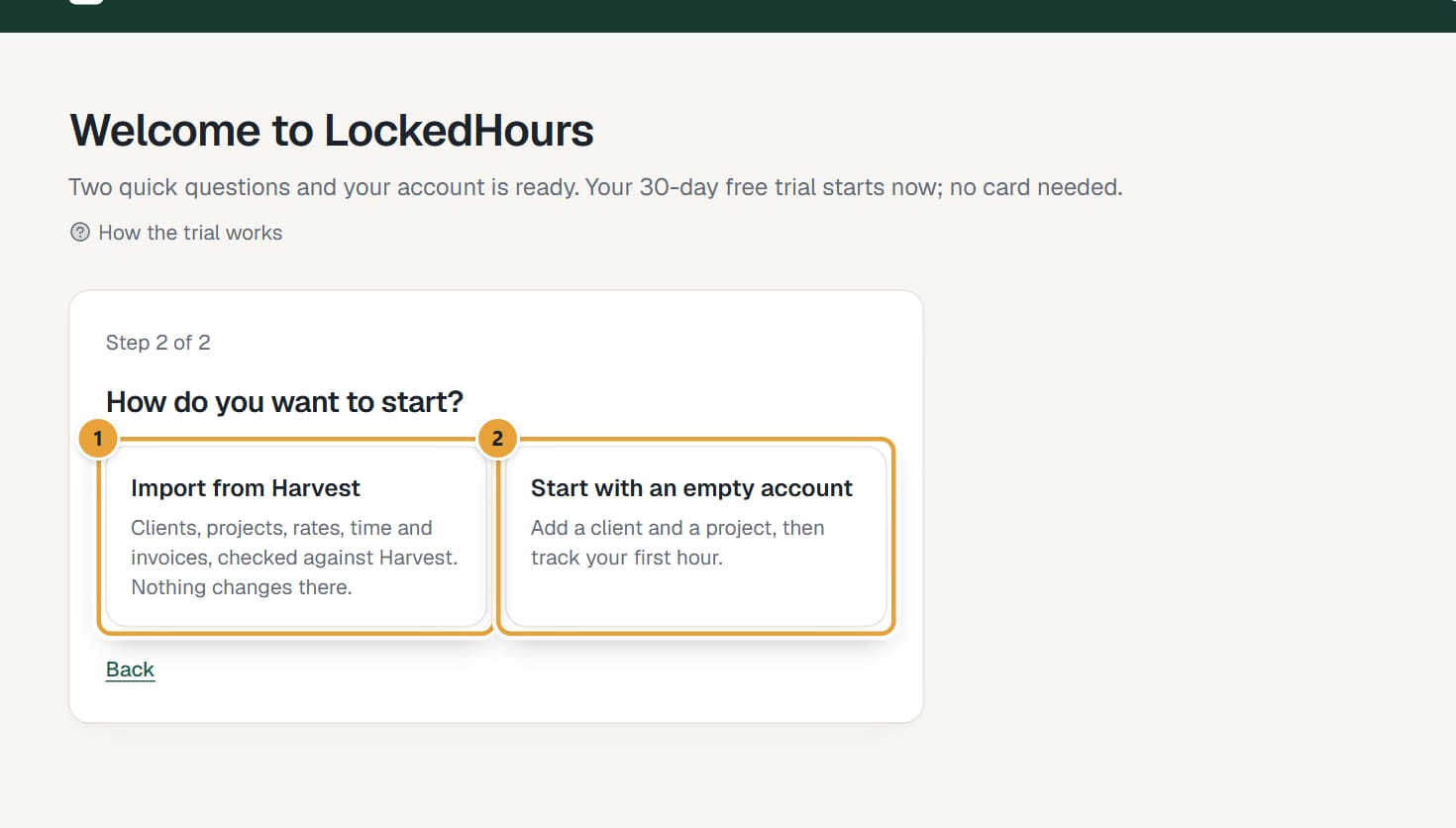
Step 5: Under How do you want to start?, click one of the two cards. Clicking a card creates your account straight away.
Import from Harvest takes you to the importer: see Import your Harvest account. Start with an empty account takes you to your home page with a short checklist: see Set up your account. Use Back if you want to change step 1 first.
 (opens the full-size image)
What happens next
- Your 30-day free trial starts the moment your account is created. Admins see how many days are left in a thin bar at the top of every page.
- We send a welcome email, and reminders 7 days and 1 day before the trial ends. See Your free trial.
- You're the account's Admin: you can invite your team, set rates and send invoices. See Roles and permissions.
Common problems
The sign-in email never arrived
Check spam and promotions folders, wait a minute, and make sure the address is typed correctly. Then ask for a new link. More in I didn't get the sign-in link.
The link says it expired or was already used
Each link works once and for one hour. Go back to the sign-in page and ask for a new one.
I was invited by a colleague
Don't sign up separately: open the invitation email and click Accept the invitation, so you join their account instead of creating a new one. See Accept an invitation.
Didn’t find what you needed?
Ask in Help inside the app, or email [email protected]. We aim to reply within 2 business days.